
EcoHedge + QuickBooks: Automate Your Carbon Accounting
Connect your QuickBooks account to EcoHedge and automatically calculate your carbon footprint from your financial transactions. No manual data entry required.
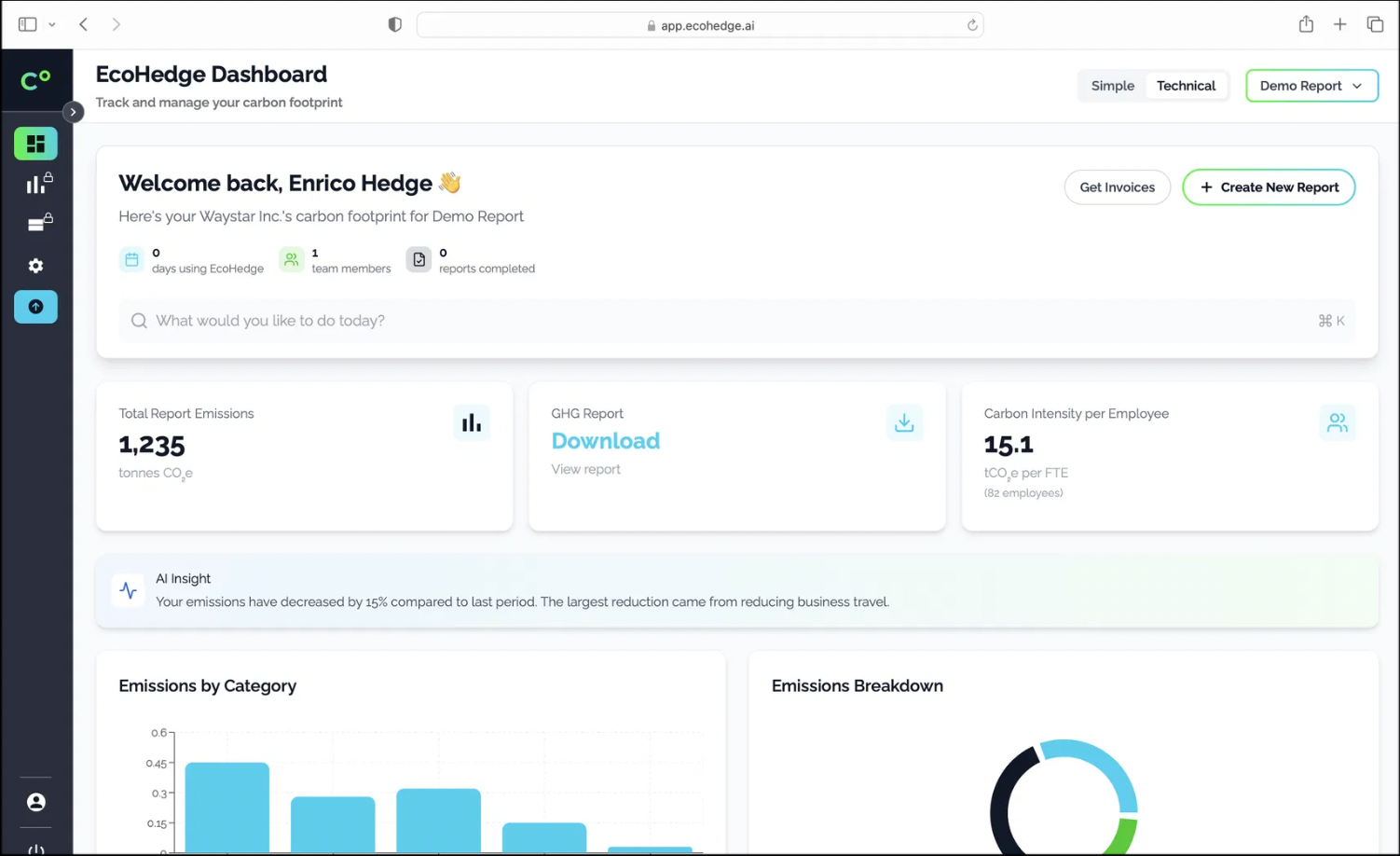
What the integration does
EcoHedge connects to QuickBooks Online to import your business transactions automatically. Purchase invoices, bills and expense data flow into EcoHedge where each transaction is categorised and matched to emission factors.
The integration is secure and read-only. EcoHedge analyses your financial data to calculate carbon emissions but never modifies your QuickBooks records.
QuickBooks is the second most popular accounting platform for UK SMEs. If your business runs on QuickBooks, EcoHedge can calculate your carbon footprint without changing your existing workflows.
How to connect QuickBooks
Create Your Account
Sign up to EcoHedge for free. No credit card needed.
Connect QuickBooks
Authorise EcoHedge to read your QuickBooks transaction data. The connection takes under a minute.
Choose Your Period
Select the financial period you want to report on. EcoHedge imports the relevant data.
Generate Your Report
Review the automated categorisation and download your professional carbon report.
Benefits
Instant Data Import
Your QuickBooks transactions are imported automatically. No CSV exports, no manual entry, no wasted time.
Spend-Based Defensibility
Using real purchase data ensures your carbon footprint is traceable to actual business activity, not estimates.
Professional Reports
Generate GHG Protocol-compliant reports that satisfy client requirements, tender submissions and compliance obligations.
Read-Only Access
EcoHedge never modifies your QuickBooks data. Your accounting records remain exactly as they are.
Frequently asked questions
Does EcoHedge work with QuickBooks Desktop?
EcoHedge currently integrates with QuickBooks Online. For QuickBooks Desktop, you can export your transactions as a CSV and upload them to EcoHedge.
How quickly can I get a report?
Most users generate their first carbon report within 10 minutes of connecting their QuickBooks account.
What data does EcoHedge need from QuickBooks?
EcoHedge imports purchase transactions including supplier names, amounts and categories. Sales data is not required.
Is there a free option?
Yes. EcoHedge offers a free tier for basic carbon accounting. Paid plans start from £24 per month.
Related reading
Connect QuickBooks to EcoHedge
Calculate your carbon footprint from QuickBooks data in minutes.
Connect QuickBooks